ASG SubInspector is a free Windows desktop application built for astrophotographers who demand the best from their imaging sessions. Load your FITS or XISF sub-exposures, and let SubInspector automatically detect stars, measure quality metrics, and score every frame—so you stack only your best data.
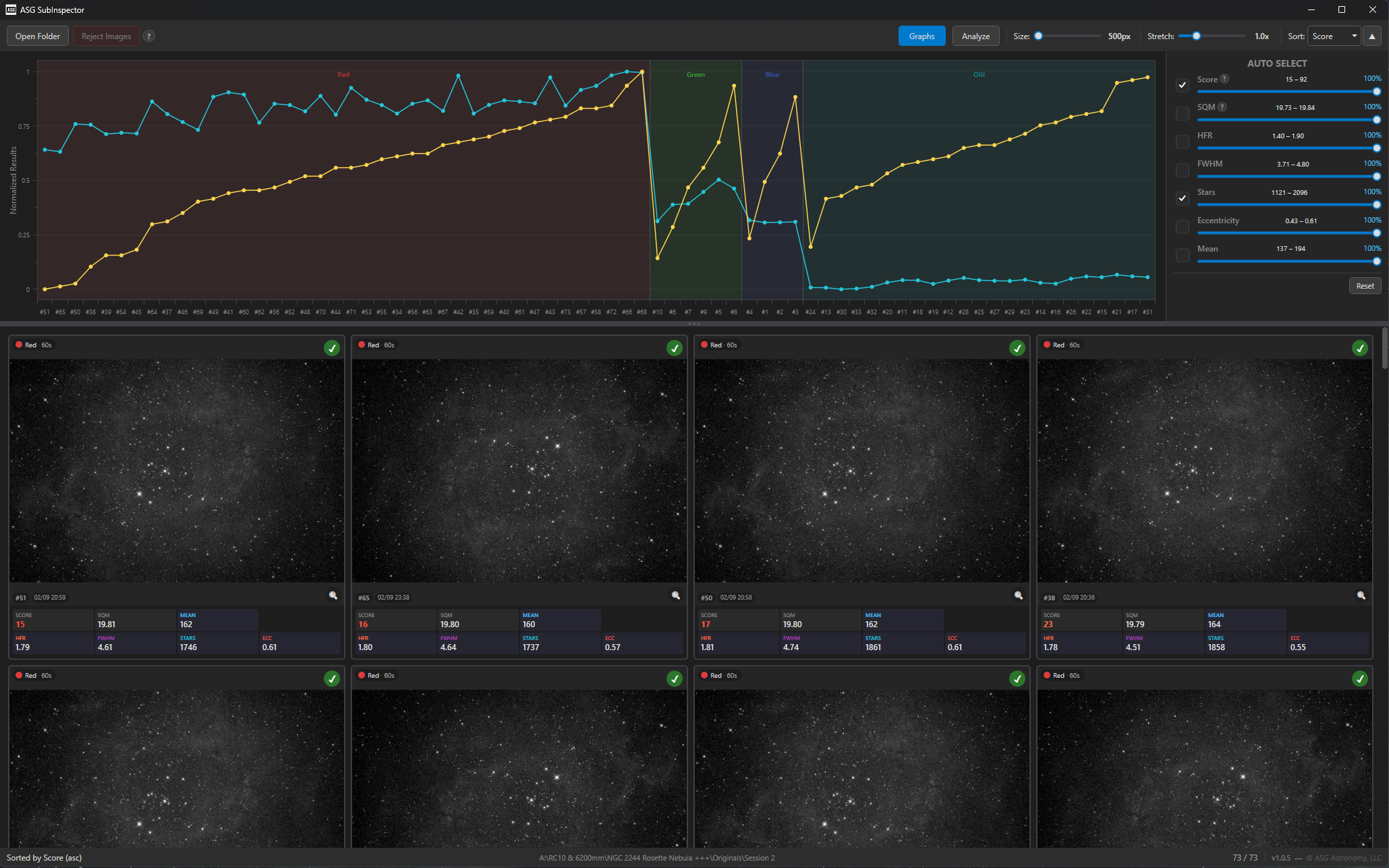
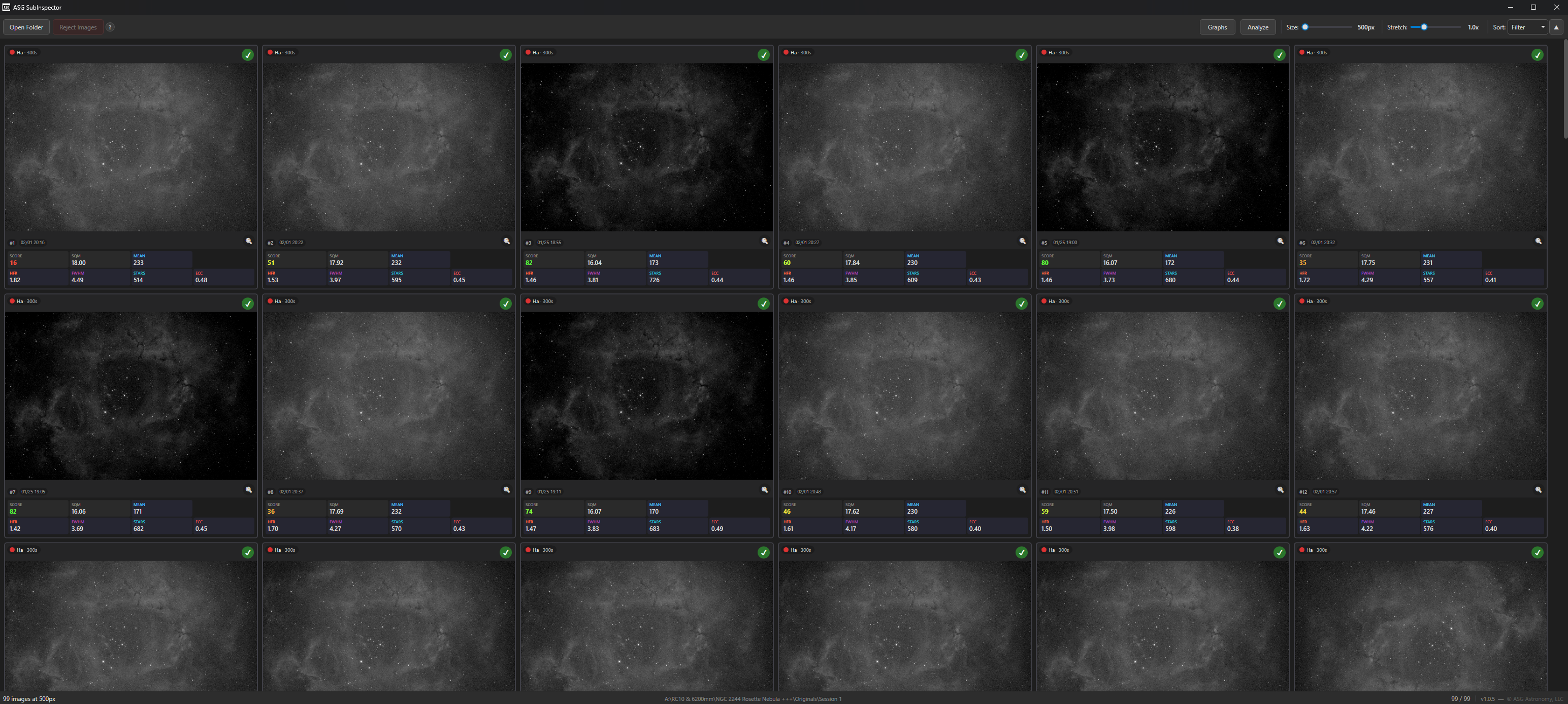
SubInspector main window — thumbnail grid with analysis graph and per-filter scoring
What SubInspector Does
Every astrophotography session produces dozens or hundreds of sub-exposures. Not all of them are keepers. SubInspector helps you quickly sort the gems from the junk by analyzing every frame and giving you the data you need to make smart rejection decisions.
Drag & Drop Loading
Drop a folder of FITS or XISF files onto SubInspector and it immediately generates consistently-stretched thumbnails for every sub-exposure.
Automatic Star Detection
Built-in star detection uses sigma-clipping and connected-component labeling to identify every star in each frame—no external software needed.
Reject to Folder
In one click, select and reject the chosen offending images into a “rejected” folder. No images are ever deleted.
Visual Thumbnail Grid
See all your subs at a glance with consistently auto-stretched thumbnails. Adjustable thumbnail size and stretch factor let you tune the view to your preference. Click any thumbnail to reject it, or Shift+Click to select ranges. Rejecting simply places images out of the selected folder and puts them into a subfolder. No images are ever deleted or removed. Keep your image folder clean with only the best images.
Adjustable thumbnail size (500–1000px)
Consistent auto-stretch across all frames
Color-coded filter band grouping
Click or Shift+Click to reject frames
Automatic Analysis & Scoring
SubInspector doesn’t just show you thumbnails—it measures every frame and gives each one a weighted quality score so you can reject bad data with confidence.
HFR
Half-Flux Radius measures star tightness. Lower HFR = sharper stars and better focus.
FWHM
Full Width at Half Maximum—another key measure of focus and seeing quality for each exposure.
Star Count
More detected stars usually means clearer skies and better transparency. Sudden drops flag problem frames.
Eccentricity
Measures how round your stars are. High eccentricity reveals tracking errors, wind shake, or tilt issues.
Weighted Composite Score
Every metric is normalized per filter band and combined into a single 0–100 quality score using weighted averaging. HFR and FWHM carry the highest weight, followed by star count, eccentricity, and mean background level. One number tells you exactly how good each sub is compared to the rest of your session.
Smart Rejection & Visualization
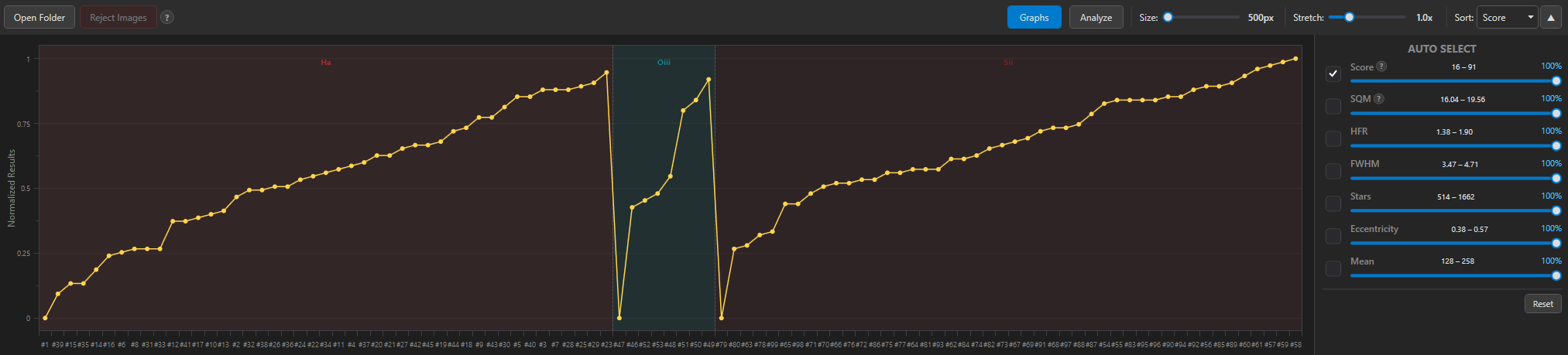
An interactive line graph plots every metric across all your frames on a normalized 0–1 scale. Toggle individual series on and off, click data points to jump to the corresponding thumbnail, and see rejected frames highlighted in red.
Percentile sliders for auto-reject per metric
Independent scoring per filter band (L, R, G, B, Ha, OIII, SII)
Live preview as you adjust rejection thresholds
Undo/reset rejection at any time
More Features
FITS & XISF Native
Built-in readers for both formats—no PixInsight or other software required.
Magnified Preview
Open any sub in a full preview window with zoom and magnification for detailed inspection.
Flexible Sorting
Sort by score, HFR, FWHM, star count, eccentricity, SQM, date, or filter—ascending or descending.
Auto-Stretch Display
Consistent auto-stretch with adjustable factor (0.1x–4.0x) for optimal visual comparison.
Download SubInspector
Get started in seconds. Download the latest version, drop a folder of subs onto it, and let the analysis begin.
ASG SubInspector
Windows 10/11 • Free • No external dependencies • Standalone installer