
Bias Frames (or Bias)
Bias frames are the simplest calibration images, requiring only the camera body and a lens cap. They capture the read noise and the inherent electronic signal (often called dark power-on noise) that a camera produces simply by being powered on. They are acquired with the shortest possible exposure time (e.g., seconds) and with the sensor in complete darkness. Bias frames are essential for removing this baseline electronic noise from all other calibration and light frames.
Dark Frames (or Darks)
Dark frames are long-exposure images taken with the lens cap in place, matching the exposure time, temperature, and gain/ISO settings of the corresponding light frames (the actual images of the sky). While a quick bias frame captures the minimal power-on noise, a longer exposure allows for the accumulation of dark current noise, which increases with exposure length and sensor temperature. This noise appears as random speckling and can also manifest as amp glow—brightening, often along the edges, common in CMOS sensors. Dark frames are critical for subtracting this thermally-generated noise from the light frames.
Flat Frames (or Flats)
Flat frames are used to calibrate out non-uniformities in the imaging system’s light path. They require illuminating the sensor evenly across its entire surface. Flats correct for several optical imperfections, including:
Vignetting: A gradual dimming of light toward the corners or edges of the image, often caused by small-diameter filters or insufficient light coverage on a large sensor.
Dust motes, lint, or smudges: Imperfections on the camera sensor, lenses, or filters that create distinct shadows or rings in the image. Flat frames essentially capture a map of the entire optical train’s light transmission and are used to normalize the pixel values across the final image.
Dark-Flat Frames (or Dark Flats)
Dark-flat frames are optional calibration frames designed to remove any dark current noise specifically generated during the acquisition of the flat frames. They are taken with the same exposure time, temperature, and gain/ISO settings as the flats, but with the sensor covered (like a dark frame). They are independent of the optical path. However, because flat frames are typically short exposures (e.g., to seconds), the dark noise generated is often negligible and can sometimes be effectively removed by simply using a master bias frame. Their utility is a point of debate among astrophotographers, with many considering them unnecessary for typical CMOS systems.
Bad Pixel Map
A Bad Pixel Map is a file generated to identify and correct pixels on the sensor that are permanently malfunctioning—either “dead” (always black), “hot” (always bright), or otherwise defective upon manufacture or from subsequent use. These defective pixels appear as static, unchangeable artifacts in an image. The map allows processing software to interpolate and replace the values of these non-functional pixels with the average values of their surrounding, healthy pixels, effectively removing them from the final image.
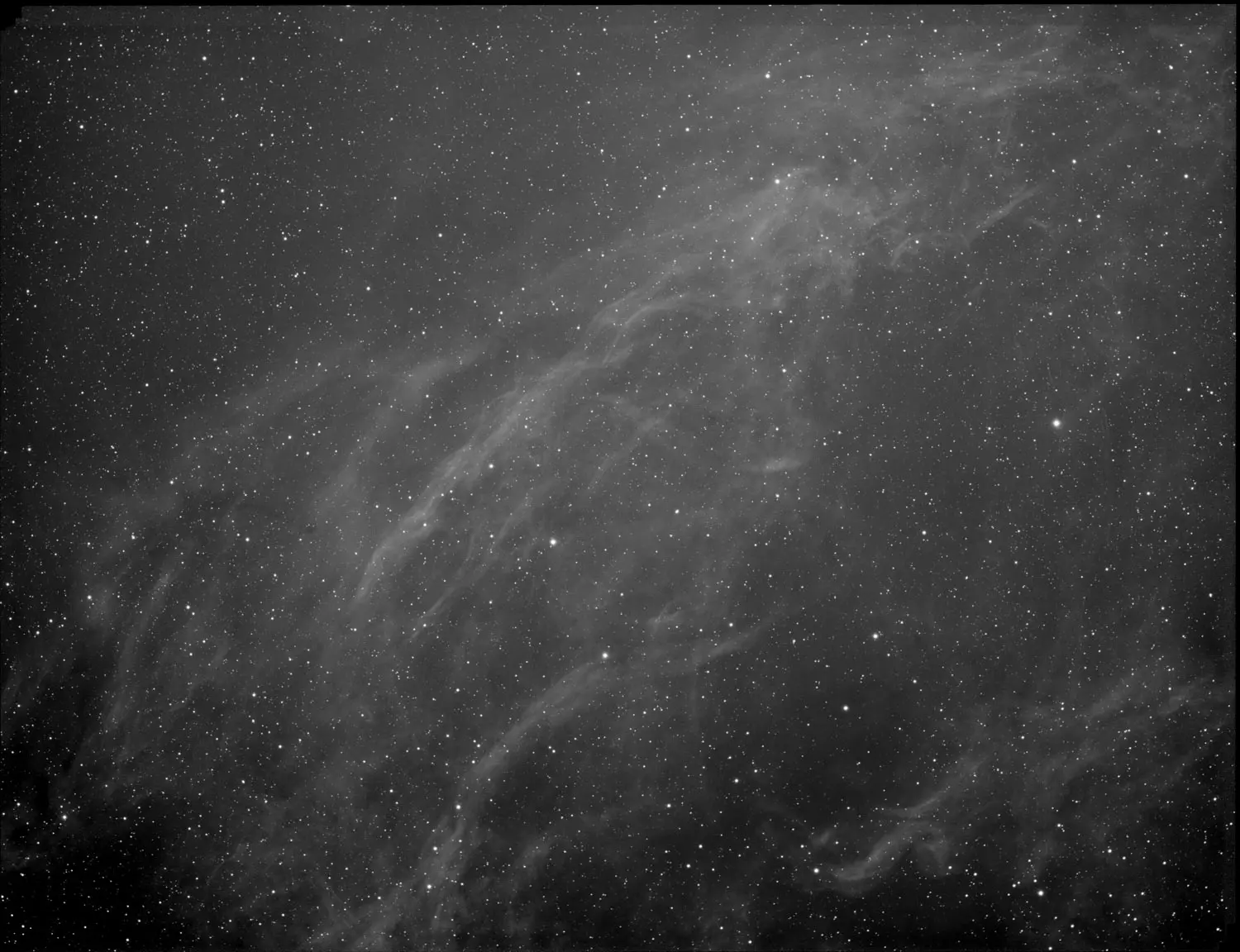
Image with no Calibration
This image of LBN 325 was a stack of images and NO calibration files taken into account. Notice the severe gradient over the top, which is more vignetting and flats will take care of that, but also noise and other data errors in this image.
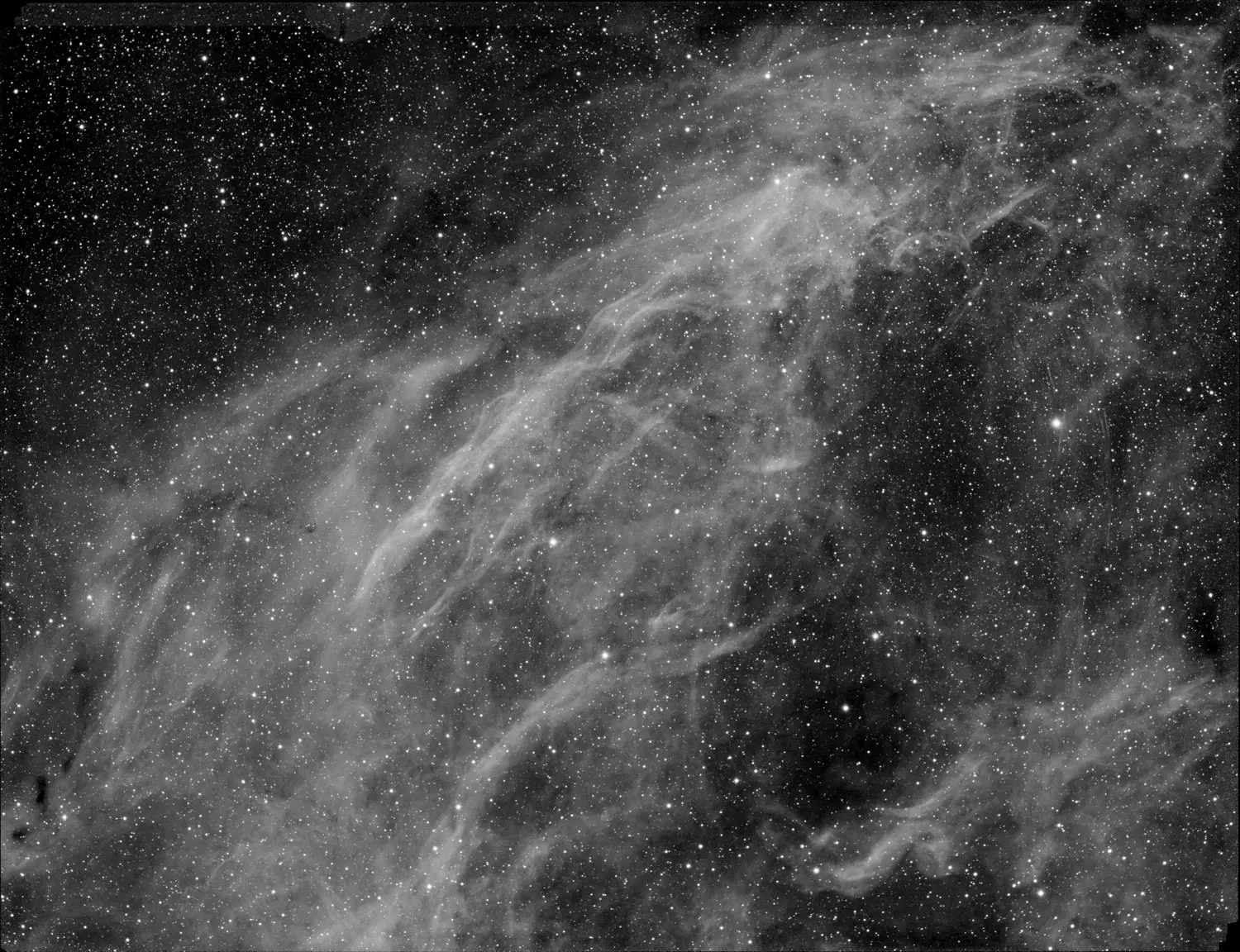
Image with Calibration
This is the same image loaded with calibration files for Bias, Dark, Flat, and Bad Pixel Map in Astro Pixel Processor. The flats have removed serious gradients and with the use of bias and darks there is no amp glow on the ends and much sharper signal to noise ratio.
HOW to CREATE each calibration type
Creating Bias
basic rules to follow, take quick exposures with the lens cap on in the total dark.
- Cover lens cap
- I like to do gain/offset and temp (-10 or -20 and gain sets of 0, 75, unity, 200 or whatever you commonly like)
- Lowest exposure setting of say .001 seconds that your camera will handle
- take 40 or 50 of them, they are quick
Creating Darks
Darks are long exposures, setup can take a couple days. I usually do -10 or -20 and take a low gain setting, unity gain setting, and a high gain setting. You will take your most popular exposure lengths. I typically do 15s, 30s, 60s, 90s, 120s, 180s, 240s, 300s, 600s of each gain.
- Cover lens cap
- I typically do 15s, 30s, 60s, 90s, 120s, 180s, 240s, 300s, 600s of each gain (0, 75, unity, 200).
- Use same temperature you will take at. I always do -10 or -20, but you may do 0 as well.
- take 10-30 of them in each gain/exposure combination. Some take a long time, so it can easily take 2 days.
- It’s important to calibrate these with the bias of the same gain you created earlier.
Creating Flats
Flats are fairly quick to take, and should be done after every imaging session as dust and imperfections change. In reality, I use a set of master flats for a couple months. Do as you see fit. You should have a flat for every filter if you do narrowband because each filter can have different imperfections.
- Use a t-shirt over the scope, or early morning dusk/dawn sky, or a flat panel LCD off amazon over the top of your scope… just a consistent light source that isn’t scalding bright.
- Take a few exposures, shoot for about 20,000 ADU or about 30% of your histogram. Easy way is to take a picture and look at your histogram, the large hump needs to be around 30-35% across the histogram. Adjust your exposure accordingly until you find the right area. It all depends on your light source. Some may be .02seconds, others might be 5 seconds. I like to dim my light source so that my flats are about 1-2 seconds.
- take 20-30 of them. I use the same temperature as my imaging. Gain/offset and exposure really can very here. I take with the same gain I use most often, but it won’t hurt if the gain is slightly different here, they are quick and will work when calibrating.
Creating Dark Flats
These are the most optional calibration in my opinion. I don’t use them often, but if you take flats, the idea is to cover your lens and remove the optical train, capture that dark flat noise at the same gain, exposure, temperature. A good bias will do virtually this same thing since these are such small exposures very little dark current has time to build up. It’s much easier to just reuse a Master Bias here than to take dark flats.
- Cover your lens cap after taking flats
- Take 20-30 of them at same temperature, gain, exposure as your flats.
Bad Pixel Map
A bad pixel map is a good idea if your system generates one. I know not all stacking software will calculate the bad pixel map, but Astro Pixel Processor is a good choice that does calibrate one for use. Nothing special here is needed, your master calibration process will create one if available.
Loading and Creating Masters
Once you have collected and built all these images, it’s time to load them into your stacking software. ALWAYS use the same software you will stack with to build your master files. You are essentially going to add all the calibration files and then create one master bias, master dark, master flat, bad pixel map for each set of images.
All your calibrations are combined into these masters that you can reuse for the life of your camera (with the exception of Flats, which are good to do once in a while.)

Notice we have here a Bad Pixel Map for each gain, a Master Bias for each gain, a Master Dark for each gain AND exposure length, and then a Master Flat for each optical filter change.
Now when I go to stack images, I can throw in a few master files and I get all that bad signal removed and it didn’t cost anything!